(Of course, an Inventor-level program can also be used.)
OVERVIEW -- IMPLEMENTATION -- PROGRAMMING -- WORKSHEETS & HANDOUTS -- OTHER INFORMATION -- QUESTIONS FOR STUDENTS -- SAMPLE RESULTS -- RATINGS
Brief Description: Students build a fan with a touch sensor control.
They write a program to run it with variable speeds and a stop/start function.
This activity can be used to teach Pilot 4 level programming.
Subject: Engineering/Technology
Topic: LEGO programming and
building
Grades: 5 - 12
Lego
Materials:
RCX: y
Sensor(s):
LEGO Touch Set(s): Other
LEGO Pieces:
any set with gears, axles, beams, bricks, motors
Minimum
ROBOLAB: 1.0
Additional Materials: possibly index cards for fan
blades
Standards:
view activity without standards
Math none selected Science none selected Technology Standard 8 - Students will develop an understanding of the attributes of design. Design is a creative planning process that leads to useful products and systems. (6 - 8) There is no perfect design. (6 - 8) The design needs to be continually checked and critiqued, and the ideas of the design must be redefined and improved. (9 - 12) Requirements of a design, such as criteria, constraints, and efficiency, sometimes compete with each other. (9 - 12) Standard 9 - Students will develop an understanding of engineering design. Design involves a set of steps, which can be performed in different sequences and repeated as needed. (6 - 8) Standard 11 - Students will develop abilities to apply the design process. Apply a design process to solve problems in and beyond the laboratory-classroom. (6 - 8) Identify criteria and constraints and determine how these will affect the design process. (9 - 12) Develop and produce a product or system using a design process. (9 - 12)
Preparation Before Students Arrive:
None.
In Class Activity:
| Instruct students to build a fan. They can use LEGO for the blades or cut-up index cards. They should attach a touch sensor to control the fan. | |
| Have students program the fan using Pilot 4. Pushing the
touch sensor repeatedly should yield low speed, medium speed, high speed
and stop. They should run the program in continuous mode. (Of course, an Inventor-level program can also be used.) |
| Students’ programs will depend on the number of touch sensors used. They can program the fan with one touch sensor and have the sensor respond to the number of clicks. They can also use two touch sensors. One sensor can be an on/off button. The other sensor can control the speed. It can respond to the number of clicks or run through the progression of speed with each click. | |
| Inventor program using two touch sensors | download vi |
| Pilot 4 program using one touch sensor | download vi |
| Class handout, general (MS Word) | download
handout (Microsoft Word File) |
| Class handout, general (Adobe PDF) | download
handout (Adobe Portable Document Format) |
| handout, pilot 4, Adobe PDF | download
handout (Adobe Portable Document Format) |
| class handout, pilot 4 | download
handout (Microsoft Word File) |
Modifications: The program can be written in Inventor instead of
Pilot.
Hints: Index-card blades work better than LEGO blades for
making breezes.
Students will need to use gears to make the blades turn fast
enough to create a discernible breeze.
Associated Literature:
Extensions: Students can use a temperature sensor and program the fan
to turn off and on at specific temperatures.
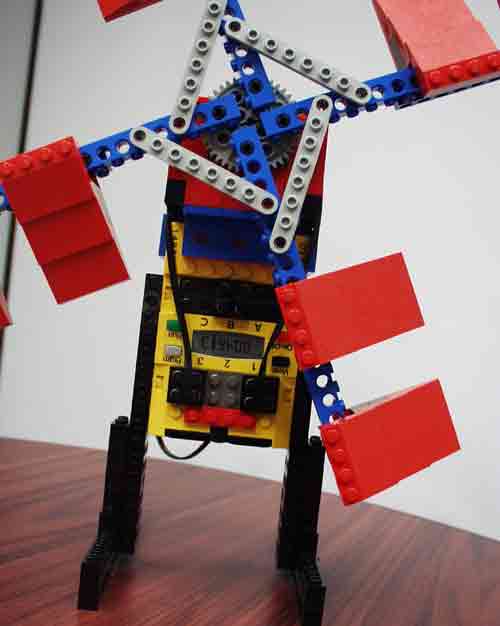
| This fan uses LEGO blades and two touch sensors. It can be run using the Inventor-level sample program. | download
result file (Robolab/Labview Inventor/Standalone VI) |